Have you ever looked for something on Google and seen ads that have extra buttons or a phone number? Some even have shiny gold stars! These extra parts are called Google Ads Extensions. They are like “power-ups” for your ads.
Think about a lemonade stand. If you shout “Lemonade!” people might keep walking. But if you shout, “Cold lemonade! Only 50 cents! Free cookies!” more people will stop.
That is what extensions do for your ads. They add more info to make your ad look bigger and better. This helps people find what they need faster. When an ad looks great and answers questions quickly, more people click on it.
In this blog, we will show you how these power-ups work. We will help you make your ads shine so everyone wants to click them!
Why Are Google Ads Extensions So Great? (The Superpowers Explained!)
Google Ads Extensions are more than just fancy add-ons. They give your ads several big advantages:
- They Make Your Ad Bigger: Imagine your ad is a small flyer. Extensions are like adding extra pages to that flyer, making it take up more space on the search results page. The bigger your ad, the harder it is to miss!
- They Provide More Information: Let’s face it: people are busy and want answers fast. Extensions let you share extra details, such as your phone number, specific products, or even your business hours, right in the ad. This is a huge win because it helps people decide if your business is the right fit before they even click!
- They Boost Your Visibility: Because your ad is bigger and more informative, it stands out from your competitors’ ads. It’s like having a spotlight on your ad!
- They Improve Your Ad Rank: Google likes it when you use extensions because they make the search results more useful for people. When you use extensions, Google often rewards you with a better “Ad Rank,” which can help your ad appear higher on the page.
- They Can Lead to More Clicks (Better CTR!): All these benefits together mean one thing: more people will be interested in clicking on your ad. A higher CTR means more people visiting your website, which can lead to more customers!
Different Kinds of Superpowers: Popular Google Ads Extensions
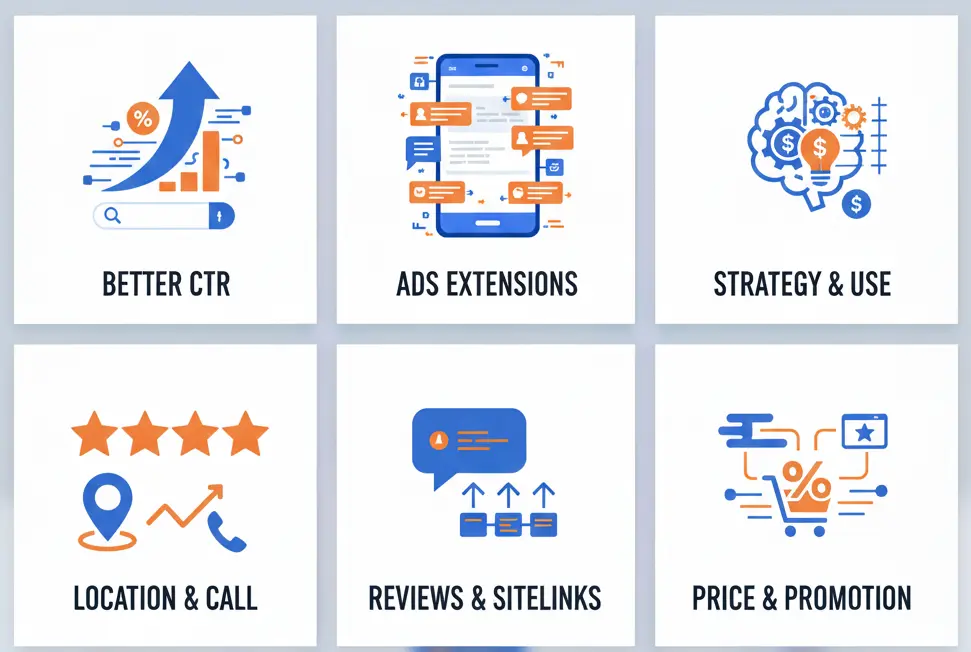
Google has many different “power-ups,” and each one has its own special trick. You don’t need to use all of them, but picking the right ones can really help.
Let’s look at some of the best ones to use:
1. Sitelinks: Fast Buttons
What they are: These are like a small menu under your ad. They let people jump to different parts of your website.
- Example: If you sell shoes, you can have buttons for “Boys’ Shoes,” “Girls’ Shoes,” or “Big Sale!”
- Why they work: People can find exactly what they want without looking around. It saves them time!
2. Callouts: Special Shout-Outs
What they are: These are short words that brag about your business. You can’t click them, but they tell people why you are great.
- Example: “Free Shipping,” “Open All Night,” or “Friendly Staff.”
- Why they work: They quickly show people why your shop is better than the others.
3. Snippets: A List of Your Stuff
What they are: These show a list of things you have or do.
- Example: A hotel might list: “Pool, Free Breakfast, and Big Beds.”
- Why they work: It lets people see right away if you have what they are looking for.
4. Call Buttons: One-Tap Talk
What they are: This adds your phone number to the ad. If someone is using a phone, they can just tap a button to call you!
- Example: A big “Call Now” button right on the screen.
- Why they work: Some people just want to talk to a real person. This makes it super easy to say hello.
5. Location: The Treasure Map
What they are: This shows where your store is. It can even show a map and how far away you are.
- Example: “123 Main Street – Only 5 minutes away!”
- Why they work: It’s perfect for people who are nearby and want to visit you right now.
6. Price: Show the Cost
What they are: This lets you show how much things cost before anyone clicks.
- Example: “Haircut: $15” or “Pizza: $10.”
- Why they work: People like to see prices! If they like your price, they will click your ad.
7. Promotions: Sale Signs
What they are: These show special deals or big sales you are having.
- Example: “Buy One, Get One Free!” or “Half Off Everything!”
- Why they work: Everyone loves a good deal. These bright ads make people want to see more.
8. Lead Forms: Simple Sign-Ups
What they are: This is a small sign-up box. People can quickly type in their name or email so you can send them information later.
- Example: “Share your email to get a free book!”
- Why they work: It is very fast and easy! People can talk to you without ever leaving the Google page.
9. Images: Pretty Pictures
What they are: This lets you put a real photo next to your words.
- Example: A picture of a yummy cupcake or a shiny new toy.
- Why they work: Pictures grab your eyes much faster than just words. A great photo makes people want to stop and look!
How to Use Google Ads Extensions for the Best Results (Your Action Plan!)
Now that you know what extensions are and why they’re awesome, here’s how to put them to work:
Step 1: Think About Your Goals and Your Audience
Before you pick a “power-up,” ask yourself these two questions:
- What do I want people to do? (Do I want them to call me, visit my shop, or buy a toy?)
- What help do my customers need? (Do they want to know my prices, where I am, or why my store is special?)
- What makes my business stand out? (Free shipping? Best quality? Award-winning service?)
Knowing these answers will help you pick the right extensions.
Step 2: Add As Many Relevant Extensions As You Can
Google’s system is smart! It will automatically show the best combination of extensions for each search, depending on what it thinks is most helpful to the person searching. So, the more relevant extensions you add, the more options Google has to make your ad look amazing.
Important Tip: Don’t just add extensions for the sake of it. Make sure they are truly relevant and helpful to your potential customers.
Step 3: Keep Your Extensions Fresh and Up-to-Date
- Change your sitelinks if you have new products or sales.
- Update callouts if your special offers change.
- Check your phone numbers to make sure they’re correct.
- Ensure your images are high-quality and accurately represent your brand.
Old or wrong information can confuse customers and make your business look unprofessional.
Step 4: Test and See What Works Best
Google Ads lets you see how well your extensions are doing. Pay attention to which ones get the most clicks and help improve your CTR.
- If a sitelink to your “Sale” page gets lots of clicks, maybe promote more sales!
- If your “Free Shipping” callout works well, keep it.
- If an image extension helps your ad stand out, try different images.
Learning what works best for your business is key to improving your ads over time.
The Bottom Line: Don’t Skip These Superpowers!
Google Ads Extensions are one of the easiest and most effective ways to boost your ad performance. They make your ads bigger, more informative, and more appealing, directly leading to a better CTR and more people visiting your business.
So, if you’re running Google Ads (or planning to!), make sure you’re using these powerful tools. They’re like giving your ads a secret weapon that helps them win the attention war on Google. Start adding them today and watch your CTR climb!
Ready to level up your Google Ads?
Don’t go it alone! At Ruskin Consulting, we help small businesses and agencies master their marketing. Whether you need a technical audit or a full campaign makeover, we’re here to help. Click here to book a consultation today!